Church live
streaming software
Go live to YouTube and Facebook at the same time, straight from your browser. Point a camera, share your screen, and your service is streaming. Nothing to install.
See what streaming costs on our pricing page.
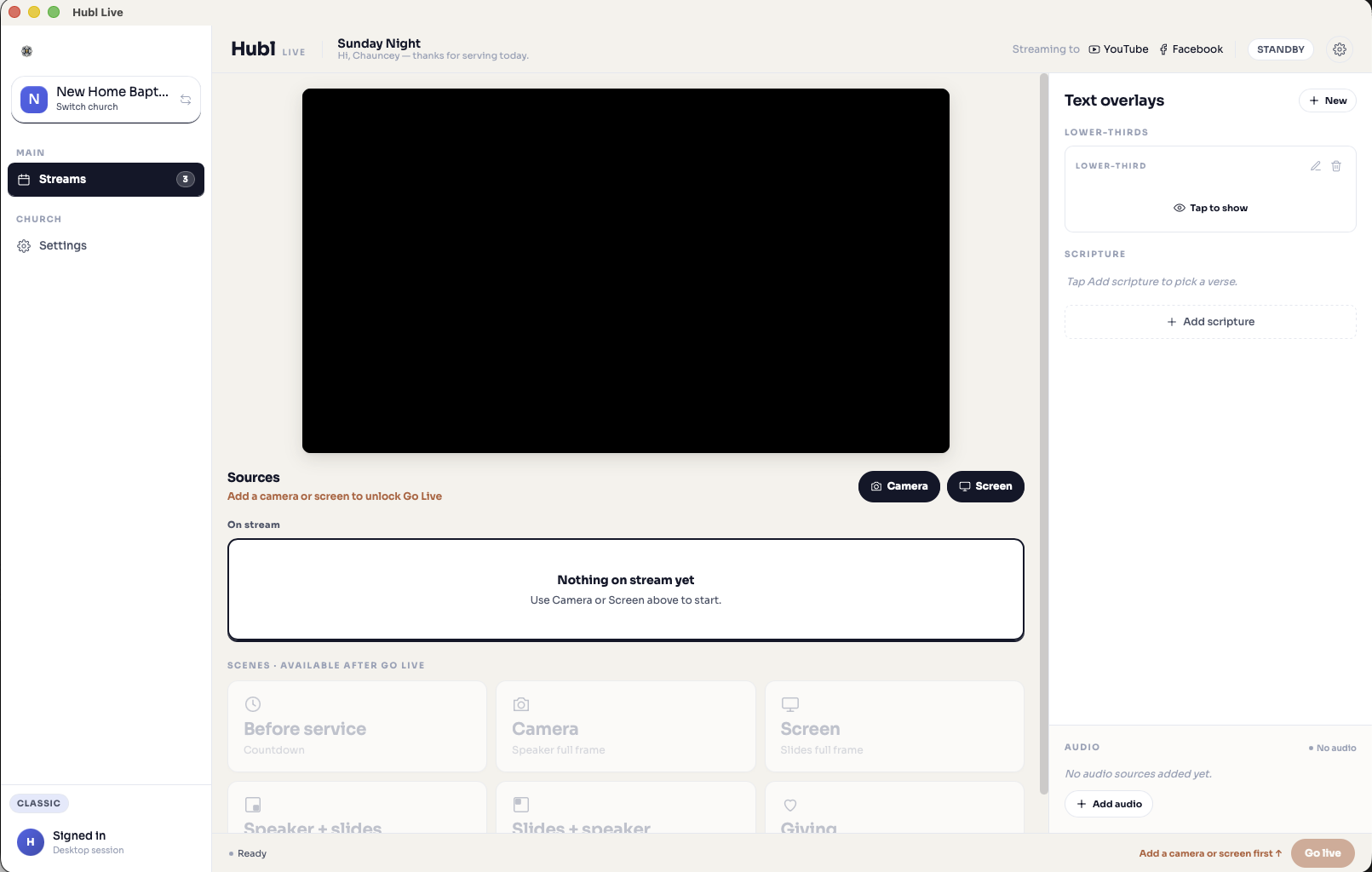
A broadcast tool that is already set up
Most church streaming makes you build the whole broadcast from scratch in complicated software before you can go live. Hubl gives you a broadcast tool that is already put together. Open it, allow your camera and microphone, share your screen for slides or lyrics, and you are on air. The technical choices are made for you, so you do not need a video engineer in the booth.
- A ready-made broadcast tool with the settings already handled for you
- Camera, microphone, and screen share from any modern browser
- Nothing to download and nothing to configure before your first stream
- A preflight check confirms your camera, mic, and connection before you go live
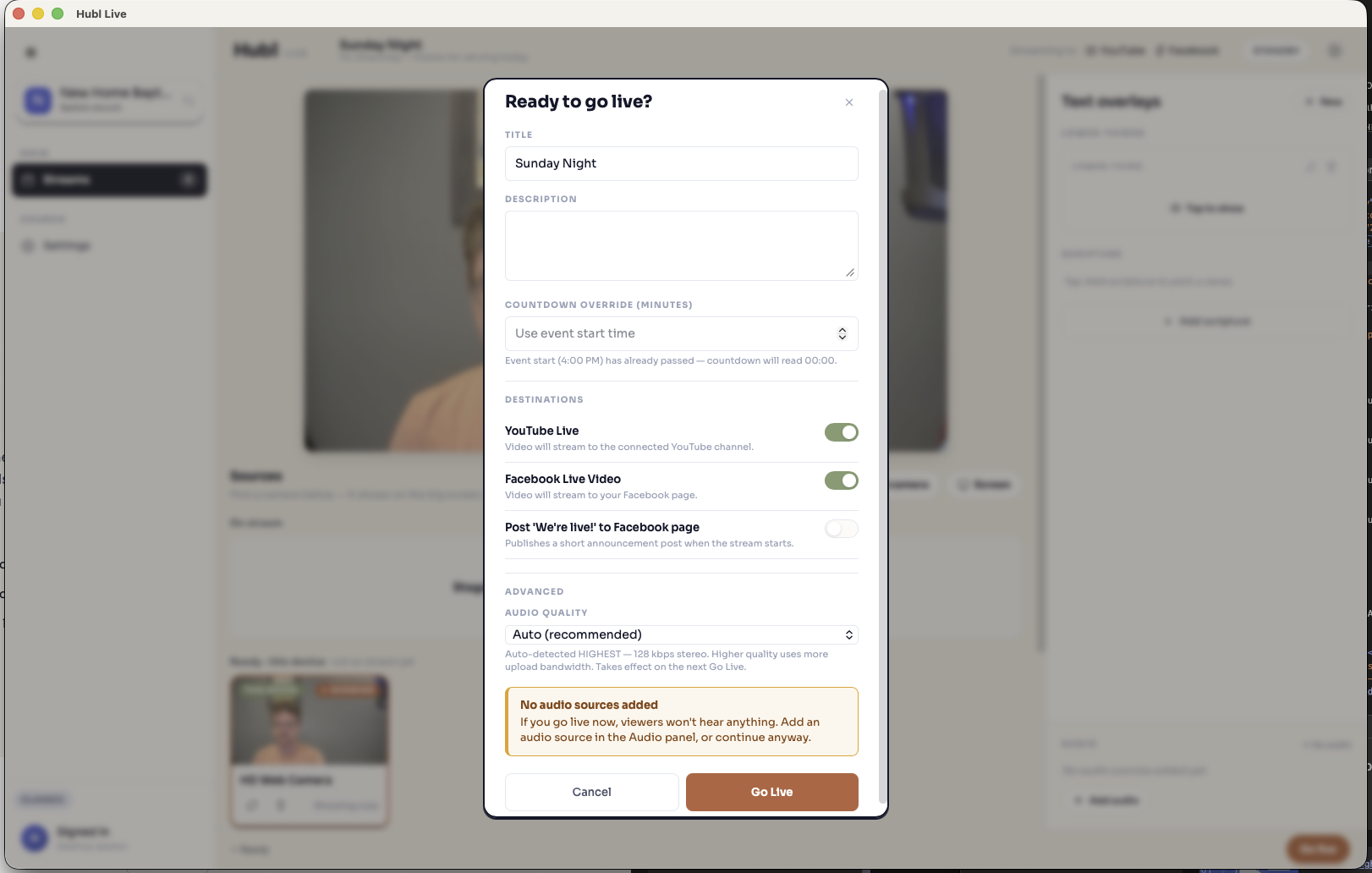
Go live to YouTube and Facebook at once
Connect your YouTube channel and Facebook page one time. Hubl creates the broadcast on each platform and sends your stream to both together, so the people who follow you anywhere can watch.
- One broadcast reaches YouTube Live and Facebook Live together
- Hubl creates the broadcast and handles the stream keys for you
- Optional post to your Facebook page the moment you go live
- Reconnects on its own if a platform drops mid-service
Switch scenes while you stream
Move between your camera, your slides, and the two together with one tap. Run more than one camera by having someone join the broadcast from another laptop or a phone, then switch between them live. Start with a countdown before service, then drop in a giving screen with a QR code when it is time.
- Ready-made scenes: Camera, Screen, Speaker + slides, and Slides + speaker
- Add another camera by joining the broadcast from a phone or laptop, then switch between them
- A Before service countdown to hold the room before you start
- A Giving scene with a QR code viewers can scan to give
- Switch live without cutting the stream
Put scripture and text on screen
Pick a verse and put it on screen so people following along at home can read it. Add lower-thirds for names, titles, and the things you announce every week, then show and hide them with a tap.
- Scripture overlays: pick a verse and display it over your stream
- Lower-thirds for names, titles, and weekly announcements
- Show and hide overlays live during the service
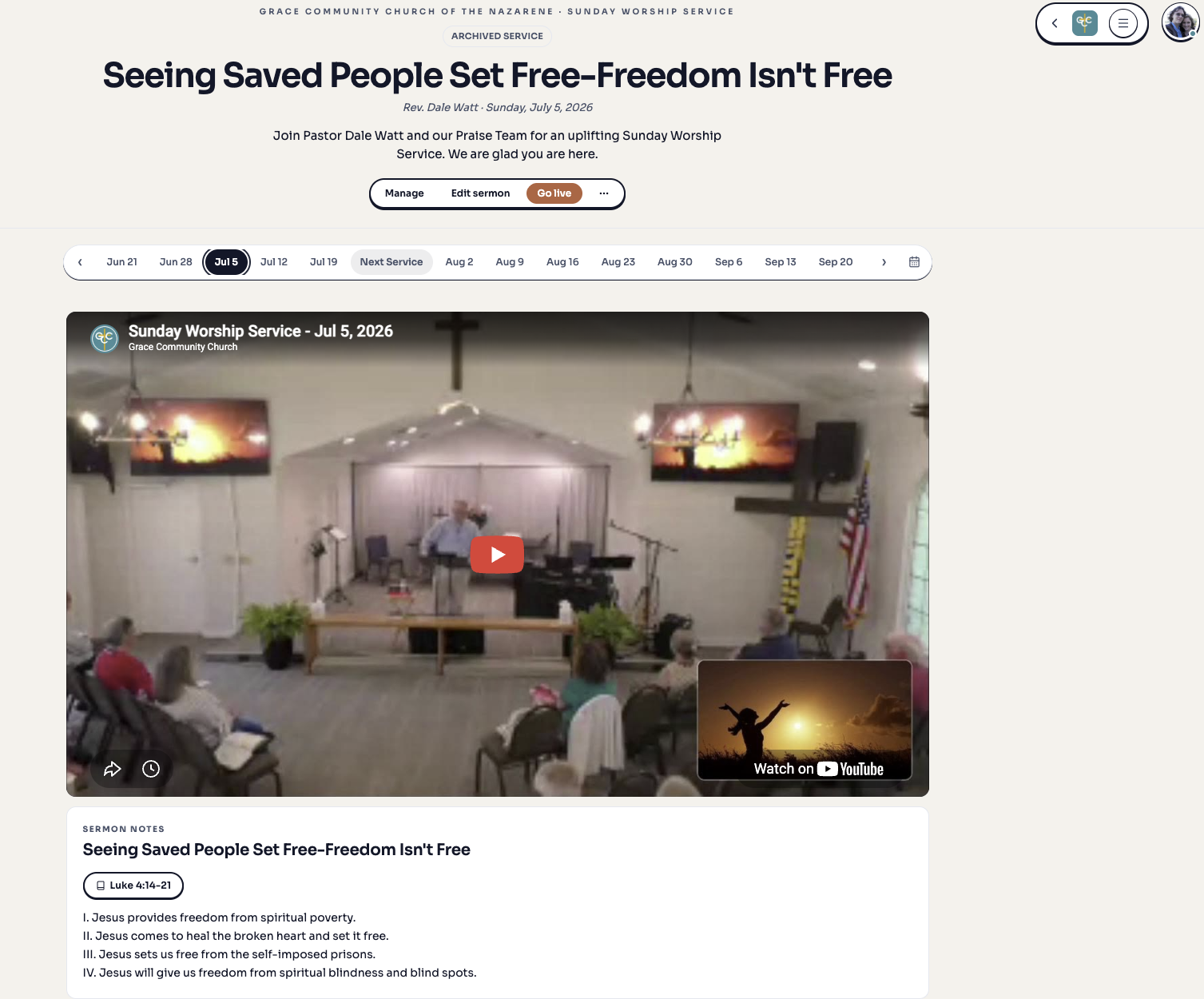
Let people watch on your own site
Every stream has a public watch page on your church site, so visitors do not have to leave for another platform to watch your service. It shows a live status the moment you go on air.
- A public watch page on your church site, with no separate app to send people to
- A live status that shows viewers when you are on air
- Viewers watch right in the browser, on any device
Reconnects instead of freezing
Wifi at church is not always kind. When a source drops, Hubl reconnects it and shows you what is happening instead of freezing. Audio stays clean at full quality so the sermon is easy to hear.
- Automatic reconnect when a camera or screen source drops
- Clear reconnecting and no-signal states so you always know what is going on
- Manual per-source reconnect when you want to force it
- Stereo 48 kHz audio with browser voice processing turned off
Set your gear once, not every Sunday
The Hubl Live desktop app runs the same control room as the browser, with one thing the browser cannot do: it remembers which camera, microphone, and screen you use, so you are not picking them again every week. It can also send your stream to smart TVs on the local network, so the whole building can watch on the screens you already have. Download it from your streaming dashboard for macOS, Windows, or Linux.
- Remembers your camera, microphone, and screen from week to week
- Casts your stream to smart TVs on the local network with Chromecast
- The same control room, scenes, and overlays as the browser
Streaming that talks to the rest of your church
Your stream does not sit in its own corner. The giving link on screen is the giving you already set up. The service people watch is the event on your calendar. It is one login for your whole church.
Giving
The giving QR on your stream points to the same giving page you manage in Hubl.
Events
Streams attach to the service on your calendar, so people find them in one place.
Sermons
Turn a past stream into a sermon on your site, complete with notes and a series.
People
The same directory, groups, and messaging your church already uses.
Frequently asked questions
Go live this Sunday
Set up your church on Hubl and get your first stream out to YouTube and Facebook. If you already have an account, your streaming dashboard is a click away.
Get startedPart of the Hubl Life church platform. Learn more about Hubl Life